Everything Fits on a Hard Drive: The Case for Keeping Your Digital Life Off Someone Else's Server
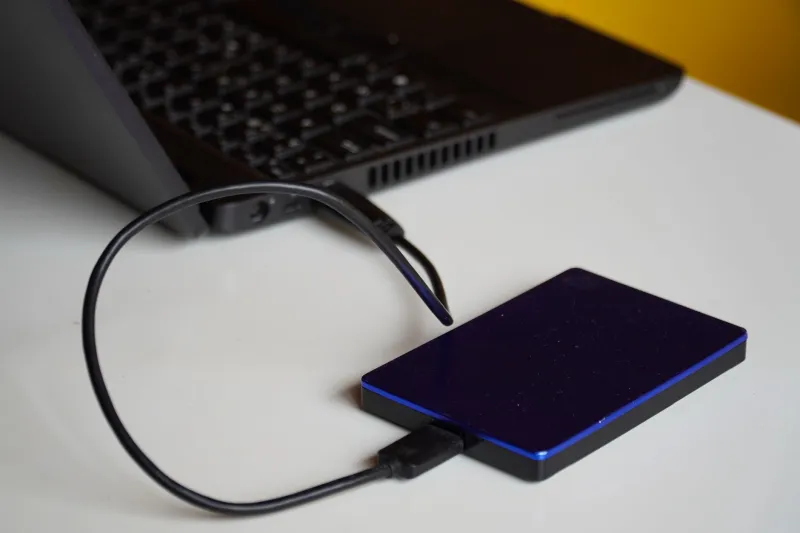
Here's a number worth sitting with: a 4-terabyte external hard drive costs about $80 at any big-box retailer right now. For context, 4 terabytes is roughly 4,000 gigabytes. Google One charges $10 a month for 2 terabytes of cloud storage. That's $120 a year, indefinitely, for half the space of an $80 drive you own outright.
The math isn't even close. So why does almost everyone use the cloud?
The answer involves convenience, clever marketing, and a decade-long campaign to make local storage feel antiquated — when in reality, it's never been more capable or more affordable.
How We Got Here
Cloud storage didn't win because it was technically superior. It won because it solved a real problem at exactly the right moment. In the mid-2000s, hard drives failed frequently, laptops got stolen, and most people had no backup strategy at all. Dropbox launched in 2008 with a pitch so clean it barely needed explaining: your files, everywhere, automatically. For a lot of people, it was the first time their data felt safe.
That was a genuine improvement. Nobody should romanticize the era of losing a term paper because a hard drive died.
But the solution to "my local storage isn't reliable enough" was never supposed to be "so give your data to a corporation and pay them monthly forever." That's just a different set of risks wearing a friendlier face.
The cloud storage industry understood this and worked hard to keep you from noticing. Seamless sync, automatic photo backup, share links — every feature was designed to make the cloud feel like an extension of your device rather than a separate thing owned by someone else. It worked. For most people, the seam is invisible now.
What You Actually Give Up
When your files live in someone else's data center, you're not just paying rent on storage space. You're agreeing to a relationship with terms you didn't negotiate and can't change.
Google has terminated Google Drive accounts for policy violations — including violations the account holder didn't know were violations. Microsoft has restricted OneDrive accounts for content it deemed problematic, sometimes with no appeal path. iCloud data has been accessible to law enforcement via legal requests users had no visibility into. These aren't hypothetical risks. They've happened to real people.
Then there's the business risk. Remember when Google killed Google Photos' free unlimited storage? Millions of people had organized years of their lives around that product based on a promise Google simply revoked. The data didn't disappear — but the deal did. And if you'd built enough dependency on that free tier, you were stuck: pay up, migrate everything, or accept degraded service.
Local storage doesn't do any of that. A hard drive doesn't change its terms of service. It doesn't get acquired. It doesn't decide your content violates community guidelines.
What Local-First Actually Looks Like in Practice
Rachel is a photographer and video editor based in Denver. Her work generates hundreds of gigabytes per project. She uses a NAS — a network-attached storage device, basically a small server that sits on her home network — with 24 terabytes of mirrored storage. She runs a second backup to an external drive she keeps off-site at her sister's house.
"People ask me if I'm worried about losing my work," she says. "I'm not. I have three copies of everything in two locations. The people who should be worried are the ones with one copy in the cloud they're not sure is actually backing up."
Her total hardware investment was around $600, spread over two years. She pays nothing monthly. Her data is accessible without an internet connection. And she's never had to worry about a pricing change making her storage unaffordable.
Tom runs a small law practice in Ohio. For obvious reasons, client files can't live in a consumer cloud service. His office runs a local server for file storage and uses an encrypted off-site backup service that he controls the keys for. "I know exactly where every file is. I know who has access. I can answer those questions definitively. With a cloud service, the honest answer to 'who can access this' is 'I'm not entirely sure.'" For a law office, that's not a philosophical concern — it's a liability.
The Tools That Make This Work
Local-first computing has gotten dramatically easier in the last few years. You don't need to be a sysadmin to run your own storage.
Syncthing is free, open-source software that syncs files between your own devices — laptop, desktop, phone, NAS — without any data ever touching an external server. It's peer-to-peer, encrypted, and has no company behind it that could get acquired or go under. For many people, it replaces Dropbox entirely.
Nextcloud is a self-hosted platform that provides cloud-style features — file sync, calendar, contacts, even video calls — running on hardware you own. You can run it on a $50 Raspberry Pi or a secondhand mini PC. It's what Google Workspace looks like when you control the server.
For photos specifically, Immich is a self-hosted alternative to Google Photos that runs on your local network, with automatic mobile backup and a nearly identical interface. It's under active development and has become genuinely polished.
None of these require a subscription. None of them report back to a corporation. None of them can be shut down by a product roadmap change.
The Objection Worth Taking Seriously
The strongest argument for cloud storage is hardware failure. Drives die. Houses burn down. Laptops get stolen. A cloud backup protects against all of that.
This is true and worth taking seriously. But the answer isn't to abandon local storage — it's to implement the same redundancy strategy IT professionals have used for decades: multiple copies, multiple locations. The 3-2-1 rule: three copies of your data, on two different types of media, with one copy off-site. You can do all of that without a subscription service. An external drive at a family member's house costs nothing after you buy the drive.
The cloud industry has successfully repositioned this well-understood practice as something only they can provide. They can't. They've just made it easier to forget you could do it yourself.
The Bigger Picture
There's something worth naming here beyond the practical arguments. When your entire digital life lives on infrastructure you don't own, you are, in a meaningful sense, a tenant. The landlord sets the rules. The landlord can raise the rent. The landlord can decide to sell the building.
Local storage is ownership. Not renting. Not subscribing. Not hoping the terms don't change. Owning.
Your photos, your documents, your work — they fit on a drive that fits in your pocket. They always did. Big Tech just spent a decade convincing you to hand them over anyway.
You can take them back. The hardware is cheap. The tools are ready. The only thing missing is the decision.